If you are comparing VPS vs cloud hosting vs shared hosting, the names make the choice sound more complicated than it is. All three are ways of renting part of a server. They differ in how much of that server is reserved for you, how much control you get over it, and how easily it grows. This post explains each one in plain words, puts them side by side in one table, shows where a dedicated server fits, and lists the signs that you have outgrown your current plan.
A quick note before we start: URLStart does not currently sell shared hosting to new customers. We sell Cloud VPS, virtual dedicated servers and dedicated servers. We have tried to describe shared hosting fairly anyway, because for some sites it is still the right answer.
What is shared hosting?
Shared hosting puts many websites on one server. They share the same CPU, memory, disk and, usually, the same web server software and PHP version. You get a control panel, an email account or two, and a folder to upload your site into.
The host manages everything underneath. You do not log in to the server itself, and you cannot install system software.
What it is good at:
- Price. It is the cheapest way to put a site online.
- No server work. Updates, security patches and server backups are the host's job.
- Simple sites. A brochure site, a small blog or a portfolio rarely needs more.
Where it falls short:
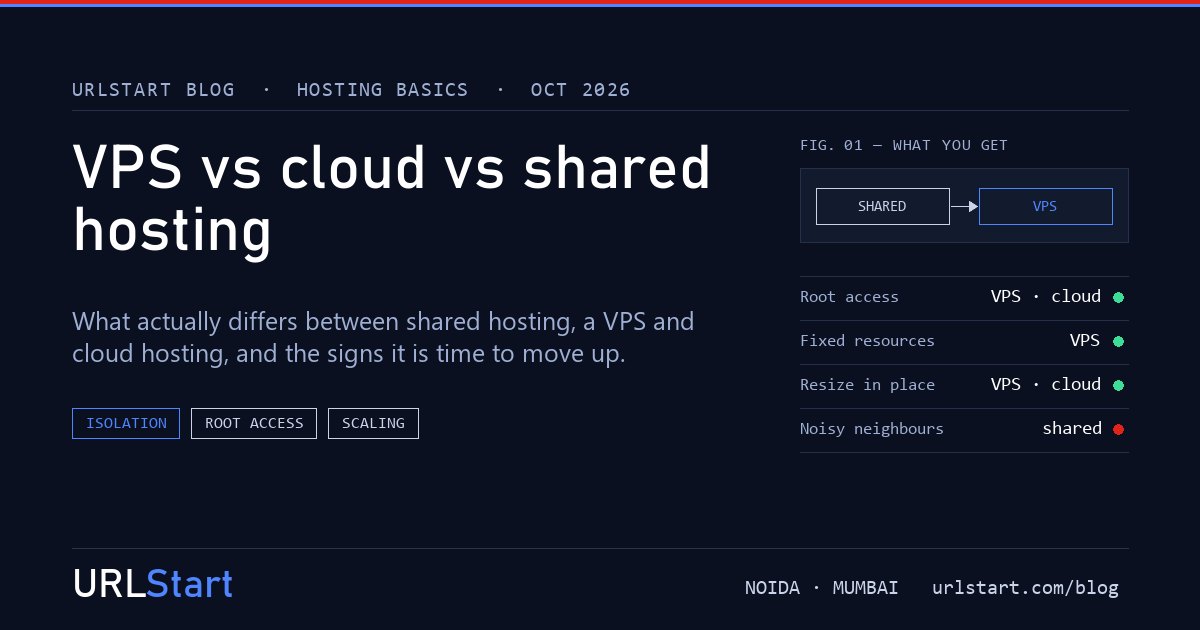
- Neighbours. If another site on the same server gets a traffic spike or runs a heavy script, your site can slow down too. Hosts limit this with per-account caps, but the server is still shared.
- Limits you cannot see until you hit them. Plans often say "unlimited", then cap CPU seconds, processes or database connections.
- No root access. You cannot install Redis, change server settings, run a background worker or pick a different web server.
What is a VPS?
A VPS (virtual private server) is a virtual machine. A physical server is divided by a hypervisor, such as KVM, into several separate machines. Each one gets its own reserved memory, its own disk space, its own CPU allocation and its own operating system.
From the inside, a VPS behaves like a small server of your own. You log in over SSH (or RDP for Windows), you have root or administrator access, and you install whatever you need.
What changes compared with shared hosting:
- Reserved resources. The RAM on your plan is yours. Another customer cannot use it.
- Isolation. Each VPS runs its own kernel and operating system. A problem in one does not spread to another.
- Full control. Any Linux distribution or Windows, any software stack, your own firewall rules, cron jobs and background services.
- Responsibility. With control comes work. On an unmanaged VPS, you patch the operating system, set up the firewall and arrange backups. A control panel such as cPanel or Plesk can make this easier.
At URLStart, Cloud VPS runs on KVM with NVMe SSD storage and full root access. Plans come in nine sizes, from 4 GB RAM with 2 vCPU and 50 GB of storage at ₹749 a month (₹584 a month on annual billing) up to 64 GB RAM.
What is cloud hosting?
"Cloud hosting" is the loosest of the three terms. It usually means your server runs on a pool of hardware rather than being tied to one fixed machine. In practice that gives you:
- Fast provisioning. A new server is ready in minutes, often less.
- Resizing. You can move to a larger plan without rebuilding the site from scratch.
- Images and snapshots. You can rebuild or clone a server from a saved image.
- Billing by plan or by usage, depending on the provider.
In other words, most "cloud hosting" sold to small and mid-sized businesses is a VPS with better tooling around it. The large public clouds go further, with managed databases, load balancers and autoscaling, but you pay for each piece and the bill takes more work to predict.
Some providers also sell "cloud shared hosting", which is shared hosting on clustered hardware. It is still shared hosting: no root access, and resources shared between accounts.
So when you compare a VPS and a cloud server, ask about the specifics rather than the label. How much RAM and how many vCPUs are reserved? What storage? Can you resize? What does the plan renew at?
How do shared hosting, VPS, cloud and dedicated compare?
| | Shared hosting | VPS | Cloud hosting (cloud VPS) | Dedicated server | |---|---|---|---|---| | Resources | Shared between all accounts on the server | Reserved RAM and disk, allocated vCPU | Reserved slice of a hardware pool | The whole physical machine | | Isolation | Account level only | Separate virtual machine and OS | Separate virtual machine and OS | Physical, nothing else on the hardware | | Root access | No | Yes | Yes | Yes, usually with remote console access | | Choice of OS and software | Host decides | You decide | You decide | You decide | | Scaling | Upgrade plan, within the host's limits | Resize to a larger plan | Resize quickly, sometimes add more servers | Upgrade hardware or add servers | | Who manages the server | The host | You, or a managed plan | You, or a managed plan | You, or a managed plan | | Price | Lowest | Low to moderate | Low to moderate, varies with usage billing | Highest | | Suits | Small sites, blogs, portfolios | Growing sites, apps, stores, ERP, trading | The same, plus workloads that change size often | Heavy databases, many sites, steady high load |
Where does a dedicated server fit?
A dedicated server is one physical machine that only you use. No hypervisor shares it with other customers, so every CPU core, every gigabyte of memory and the full disk speed are yours.
It makes sense when a VPS stops being enough: a large database that needs lots of memory, steady heavy CPU use, many sites on one machine, or a compliance rule that asks for single-tenant hardware.
There is also a step in between. A virtual dedicated server (VDS) is a virtual machine with dedicated CPU cores, so you get the predictable performance of reserved cores with the convenience of a virtual server. At URLStart, VDS plans start at 8 GB RAM with 2 vCPU and 100 GB SSD for ₹1,799 a month. Dedicated servers start with the Astra build (dual Xeon E5-2680 v4, 28 cores, 64 GB) at ₹9,999 a month.
All of these run from our Tier IV datacenter in Noida, Delhi NCR. The facility operator runs the building, power and cooling; URLStart owns and runs the servers, storage, network and DDoS protection inside it.
How do you know it is time to move up?
From shared hosting to a VPS
- Your site slows at busy hours even though nothing changed on your side.
- You see "resource limit reached" errors, or the host emails you about CPU use.
- You need software the host will not install, such as Redis, Node.js, a specific PHP version or a queue worker.
- You run a store or a login area and want to control security and caching yourself.
- You host several client sites and want them kept apart from other customers.
We wrote a step-by-step guide for this move: shared hosting to VPS for WordPress.
From a VPS to a bigger VPS
If memory is regularly full, or CPU sits high for long periods, a larger plan is usually the simplest fix. Check that the slowdown is not a missing cache or a slow database query first, because a bigger server only hides those problems.
From a VPS to a VDS or dedicated server
- Performance varies from hour to hour with the same workload.
- CPU-bound jobs such as builds, video processing, game servers or large reports run for long stretches.
- You need a lot of memory for a database or a big application.
- You need single-tenant hardware for compliance.
Which one should you choose?
A short way to decide:
- A small site with modest traffic, and you do not want to run a server: shared hosting is fine.
- A site or app that is growing, or needs custom software: a VPS. Start small and resize.
- A workload that changes size often or needs fast rebuilds: a cloud VPS with resizing and snapshots.
- Steady heavy load, or a need for every core to yourself: a virtual dedicated server or a dedicated server.
If you are not sure which size you need, our plan sizer asks a few questions and suggests a starting point. Or see the Cloud VPS plans directly.
FAQ
Is cloud hosting the same as a VPS?
Often, yes. Most cloud hosting for small and mid-sized businesses is a virtual server running on a pool of hardware, with resizing and snapshots added. The useful questions are what resources are reserved for you and what the plan renews at, not the label.
Is a VPS faster than shared hosting?
Usually, because the memory and disk on a VPS are reserved for you and other customers cannot use them. A badly configured VPS can still be slow, so caching and a sensible web server setup matter on either.
Do I need technical skills to run a VPS?
Some. You need to be comfortable with SSH, updates and a firewall, or use a control panel such as cPanel or Plesk that handles much of it. A managed plan moves that work to the host.
Is shared hosting less secure than a VPS?
Shared hosting relies on the host to keep accounts apart, and a well-run host does this well. A VPS gives each customer a separate operating system, which is stronger isolation, but you are then responsible for patching and securing it.
Does URLStart sell shared hosting?
Not to new customers at the moment. We sell Cloud VPS, Windows VPS, virtual dedicated servers, dedicated servers and colocation. For a site that has outgrown shared hosting, the smallest Cloud VPS is the usual next step.
What is the difference between a VPS and a VDS?
Both are virtual machines. On a VDS the CPU cores are dedicated to you, so performance stays steady even when other machines on the host are busy. A VPS is cheaper and suits most websites and apps.
Can I move from a VPS to a dedicated server later?
Yes. The software is the same, so the move is a copy of files and databases plus a DNS change. URLStart offers free migration from other providers.
When is a dedicated server worth the extra cost?
When you need every core and all the memory to yourself for long stretches, run a large database, host many busy sites on one machine, or have a rule that requires single-tenant hardware.