For years you could buy an SSL certificate, install it, and forget about it for a year. That is over. The maximum lifetime of a public SSL/TLS certificate is shrinking in stages, and it already dropped once this year.
Here is what changed, what is coming, and how to make sure your certificates renew on their own.
What changed, and when
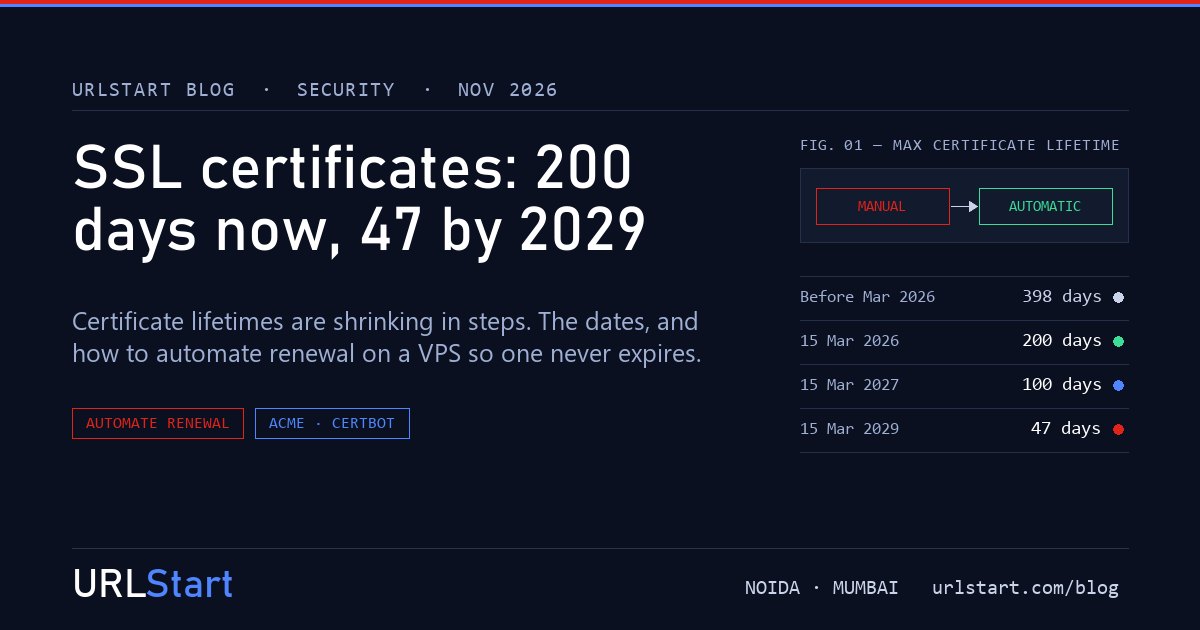
The rules for public certificates are set by the CA/Browser Forum, the group of certificate authorities and browser makers. In 2025 it agreed to cut the maximum certificate lifetime in steps:
| From | Maximum certificate lifetime |
|---|---|
| Before 15 March 2026 | 398 days (about 13 months) |
| 15 March 2026 | 200 days |
| 15 March 2027 | 100 days |
| 15 March 2029 | 47 days |
So the first step has already happened. Any certificate issued since 15 March 2026 lasts at most 200 days, even if you paid for "one year". Many certificate sellers now sell a year of coverage as a subscription that reissues the certificate during the term.
The time a certificate authority can reuse your domain validation is shrinking on a similar schedule, so you will also prove you control the domain more often.
Why certificates are getting shorter
Shorter certificates limit the damage when something goes wrong. If a certificate's private key leaks, or a certificate is issued by mistake, a short lifetime means it stops working sooner. It also pushes everyone towards automation, which is far more reliable than a person remembering to renew once a year.
What this means for your website
With a 47-day lifetime, a certificate has to be renewed roughly every month. Doing that by hand, on every domain and subdomain, is not realistic. Sooner or later one gets missed, and visitors see a full-page browser warning that your site is not secure.
The answer is to make renewal automatic, then check that the automation works.
How to automate SSL renewal on a VPS
Let's Encrypt with Certbot (Linux, Nginx or Apache)
Let's Encrypt issues free certificates that already last 90 days, so it has been built around automatic renewal from the start. On Ubuntu with Nginx:
sudo apt install certbot python3-certbot-nginx
sudo certbot --nginx -d example.com -d www.example.com
For Apache, install python3-certbot-apache and use --apache instead. Certbot installs a timer that renews certificates before they expire. Test that renewal works:
sudo certbot renew --dry-runIf that command succeeds, your certificates will renew on their own.
cPanel: AutoSSL
On a cPanel server, AutoSSL issues and renews free certificates for every domain automatically. In WHM, open Manage AutoSSL, choose a provider, and make sure AutoSSL is enabled for your accounts. Then check the AutoSSL log after the next run for any domain that failed validation.
Plesk: Let's Encrypt extension
Plesk's SSL It! or Let's Encrypt extension issues certificates per domain and renews them automatically. Turn on the option to keep each domain secured, and check the domain list for any certificate close to expiry.
Windows Server with IIS
On a Windows VPS, a free ACME client such as win-acme requests Let's Encrypt certificates for IIS sites and adds a scheduled task to renew them.
If you buy paid certificates
Paid certificates, for example with organisation validation or a warranty, are affected by the same limits. Ask your certificate seller whether they support ACME or another automated renewal method, so the reissued certificate installs itself rather than arriving as an email you have to act on.
Make sure renewal really works
Automation fails quietly: a firewall blocks port 80 during validation, DNS points somewhere else, or a server was moved and the renewal job was not. A few checks prevent that:
- Run the renewal dry run after any server or DNS change.
- Keep port 80 open for validation if you use HTTP validation, even if the site redirects to HTTPS.
- Use a free certificate expiry monitor that emails you when a certificate gets within two weeks of expiring.
- Keep a list of every domain and subdomain with a certificate, including the ones only staff use.
SSL on a URLStart VPS
Every URLStart Cloud VPS comes with full root access, so you can run Certbot, cPanel or Plesk and have certificates renew automatically. Our Ubuntu VPS setup guide and our guide to installing cPanel on a VPS cover the server side. If you would like a hand checking that your renewals work, our support engineers can look at it with you.