Dedicated server offers love big network numbers: 1 Gbps, 10 Gbps, and lately 100 Gbps dedicated servers. A faster port sounds better, but most servers never come close to filling a 1 Gbps port. Here is how to work out what yours needs.
Port speed is not bandwidth
These two get mixed up constantly.
- Port speed is the maximum rate the server's network connection can carry at any moment, in megabits or gigabits per second. Think of it as the width of the pipe.
- Bandwidth, in hosting offers, usually means how much data you may transfer in a month, in terabytes. Think of it as how much water you can pour through the pipe in a month.
A server can have a 10 Gbps port and a small monthly allowance, or a 1 Gbps port that is unmetered. Ask about both, and ask what happens when you go over: overage charges, throttling, or nothing.
What the numbers mean in practice
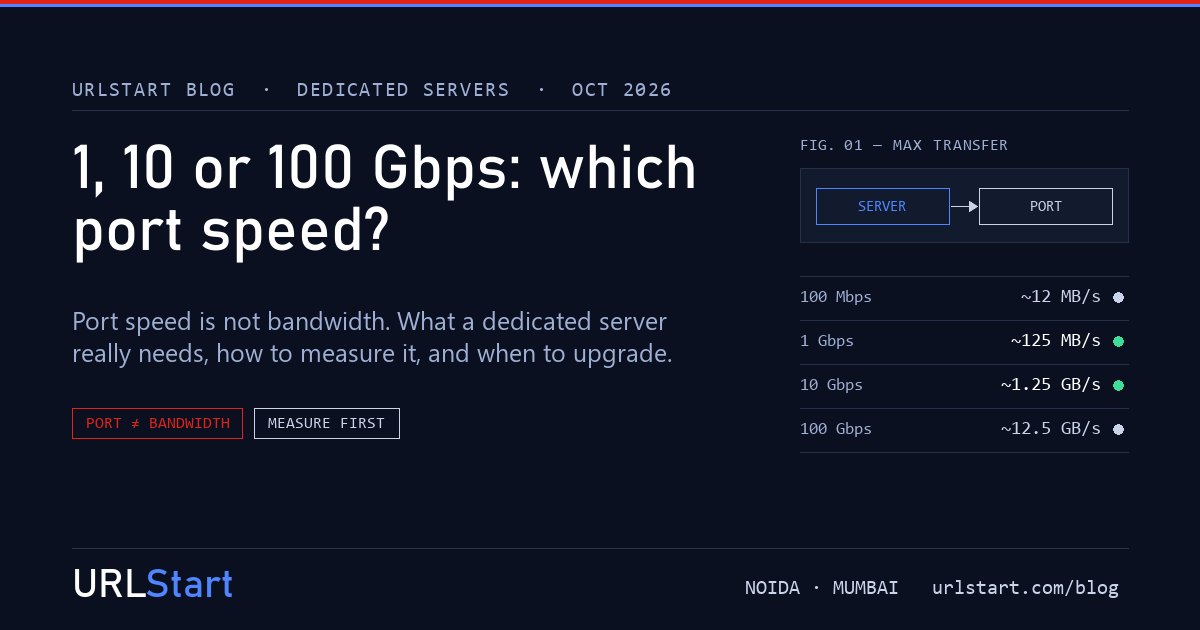
Network speeds are in bits; file sizes are in bytes. Divide by eight:
| Port | Maximum transfer | A 10 GB file takes | Typical use |
|---|---|---|---|
| 100 Mbps | about 12 MB/s | about 14 minutes | Small sites, budget servers |
| 1 Gbps | about 125 MB/s | about 1.5 minutes | Almost every website, app, game server and database |
| 10 Gbps | about 1.25 GB/s | about 8 seconds | Video, large downloads, storage, server-to-server backups |
| 100 Gbps | about 12.5 GB/s | under a second | CDN nodes, large storage clusters, specialist research |
These are best cases. Real transfers depend on the other end, the route in between and how the application sends data. A single download from a home connection will never use 10 Gbps, however fast your port is.
How to measure what your server actually uses
Before you pay for a faster port, look at your real traffic. On Linux, vnstat keeps hourly and monthly totals and shows your busiest periods:
sudo apt install vnstat
vnstat -h
For a live view, iftop or nload show the current rate. Your provider's control panel or graph usually shows the 95th-percentile peak over a month, which is the most useful single number.
A simple rule: if your peaks stay below about 60% of your port for most of the month, the port is not your bottleneck. If you regularly touch the ceiling, a faster port will help.
When 1 Gbps is enough
For a web server, an API, an online shop, a game server, a database or a Tally or ERP server, 1 Gbps is plenty. A busy website serving pages and images rarely sustains more than a few hundred megabits, and a CDN in front of it takes most of that load away.
If such a server feels slow, the cause is almost always elsewhere: CPU, memory, a slow disk or database, or the distance to your users. Our guide on renting a dedicated server in India covers what to check first.
When to pay for 10 Gbps
A 10 Gbps port earns its price when the server moves a lot of data continuously:
- video streaming or large file downloads served straight from the server
- storage servers, or backups and replication between your own servers
- a virtualisation host carrying many busy virtual machines
- a game server host with many large servers on one machine
When 100 Gbps makes sense
A 100 Gbps dedicated server is a specialist product. It suits CDN edge nodes, large object storage, research data transfer and some streaming platforms. It is expensive, needs network cards, switches and upstream capacity to match, and only pays off when the traffic is genuinely there. If you are not sure whether you need it, you almost certainly don't.
Our dedicated server ports
Our dedicated servers come with a 1 Gbps port as standard, with up to 10 Gbps available when your traffic needs it, and always-on DDoS protection on the port. If you think you need more, send us your traffic graphs and we will size it with you honestly, including telling you when the port isn't the problem.