Search for a bare metal server rental and you will find "bare metal", "dedicated server", "VDS", "virtual dedicated server" and "VPS" used almost interchangeably. They are not all the same, and the differences decide what you pay and how your workload behaves.
Here is what each term means, in plain words.
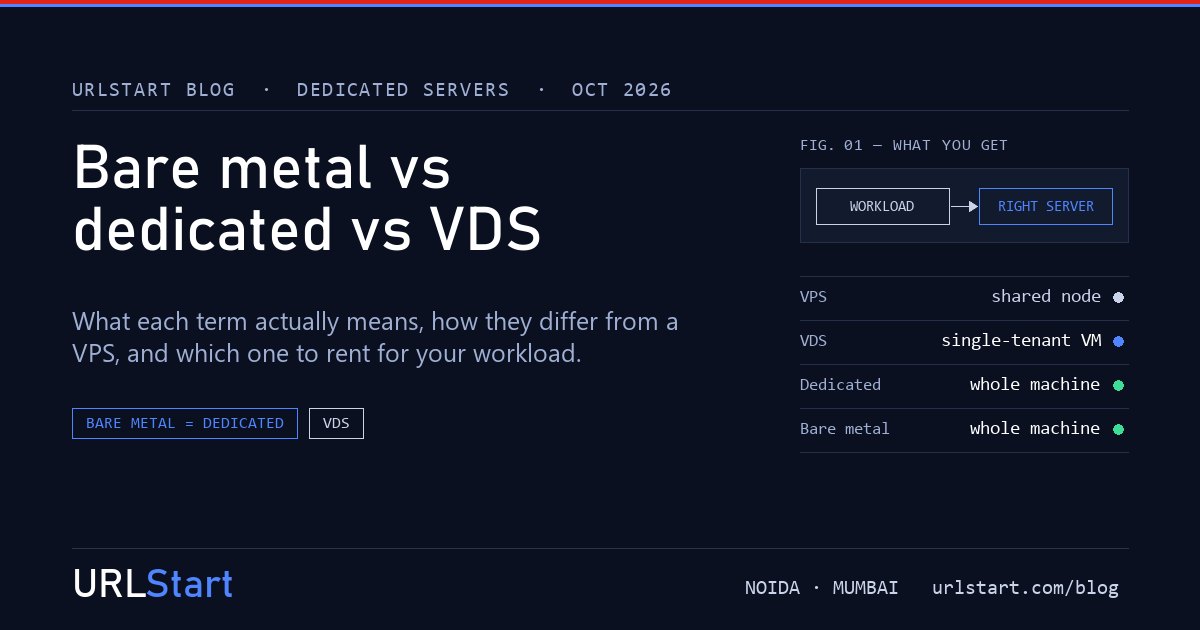
Bare metal server and dedicated server: the same machine
A dedicated server is a whole physical server rented to one customer. Every CPU core, every gigabyte of RAM and every disk is yours. Nobody else runs anything on it.
A bare metal server is the same thing. The term became popular with cloud providers, to separate a physical server from the virtual machines they mostly sell. "Bare metal" stresses that your operating system runs straight on the hardware, with no hypervisor, the virtualisation layer, underneath you.
So when you compare bare metal server rental and dedicated server rental, you are comparing the same product with different labels. What matters is the specification: the CPU model, memory, disks, port speed and where the server sits. Our guide on how to rent a dedicated server in India lists the eight things to check.
VDS: a virtual machine, but nobody else on the hardware
A VDS, or virtual dedicated server, sometimes sold as a dedicated cloud server, sits between the two. Definitions vary between providers, so it is worth asking. In the stricter meaning, which is how we sell it, your vCPU and memory are pinned to you on single-tenant hardware. There is a virtualisation layer, but no other customer's machine shares the physical cores, the cache or the disk queues.
In practice a VDS behaves very much like bare metal: CPU response stays flat at peak and at 3 a.m. The difference is control and size. You get a virtual machine of a fixed size rather than the raw server. You can't run your own hypervisor on it, and you reach it through the provider's console rather than the hardware's own IPMI. In return it costs less than a whole server and is ready much faster.
Some providers use "VDS" for a virtual machine with reserved cores on a shared node, which is closer to a good VPS. If an audit or a performance target depends on it, ask the provider directly who else is on the hardware.
VPS: your share of a shared node
A VPS is a virtual machine on a physical server shared with other customers. A good VPS reserves your vCPU, memory and storage, so you get what you pay for. But the physical cores, the CPU cache and the disk queues are still shared, so a very busy neighbour can still nudge your performance at the edges. For most websites and apps that doesn't matter, and it is why a VPS is the cheapest of the three. Our post on the signs you need dedicated cores explains how to tell when it starts to matter.
The three side by side
| VPS | VDS | Bare metal / dedicated | |
|---|---|---|---|
| Physical hardware | Shared with other customers | Single-tenant | Yours alone |
| CPU and memory | Reserved for you on a shared node | Pinned to you | The whole machine |
| Hypervisor under you | Yes | Yes | No |
| Run your own Proxmox or VMware | No | No | Yes |
| Console | Provider's virtual console | Provider's virtual console | Full IPMI on the hardware |
| Ready in | About a minute | Under 90 minutes | Hours, from stock |
| Price | Lowest | Middle | Highest |
Which one should you rent?
Choose bare metal, a dedicated server, when you need all of a machine's power, such as large databases, game server hosts or heavy compute. Also choose it when you want to run your own virtualisation, or when you want the remote console and control over the disks and RAID.
Choose a VDS when your application needs steady CPU performance, or an audit asks who else is on the hardware, but it fits comfortably in 8 to 64 GB of RAM and up to 16 vCPU. Busy databases, trading platforms and game servers are typical. You get single-tenant performance without paying for a whole server.
Stay on a VPS when the workload is light or bursty and the occasional slow minute doesn't matter. Most websites are in this group.
How we offer them
At URLStart, our dedicated servers are bare metal: dual Xeon machines with full IPMI, any operating system or a custom ISO, and DDoS protection on the port, rented monthly from ₹9,999. Our virtual dedicated servers give you vCPU and RAM pinned on single-tenant hardware, with SSD, from ₹1,799 a month, provisioned automatically in under 90 minutes. Both sit behind the same network and DDoS edge, so moving from one to the other later changes nothing your users see.