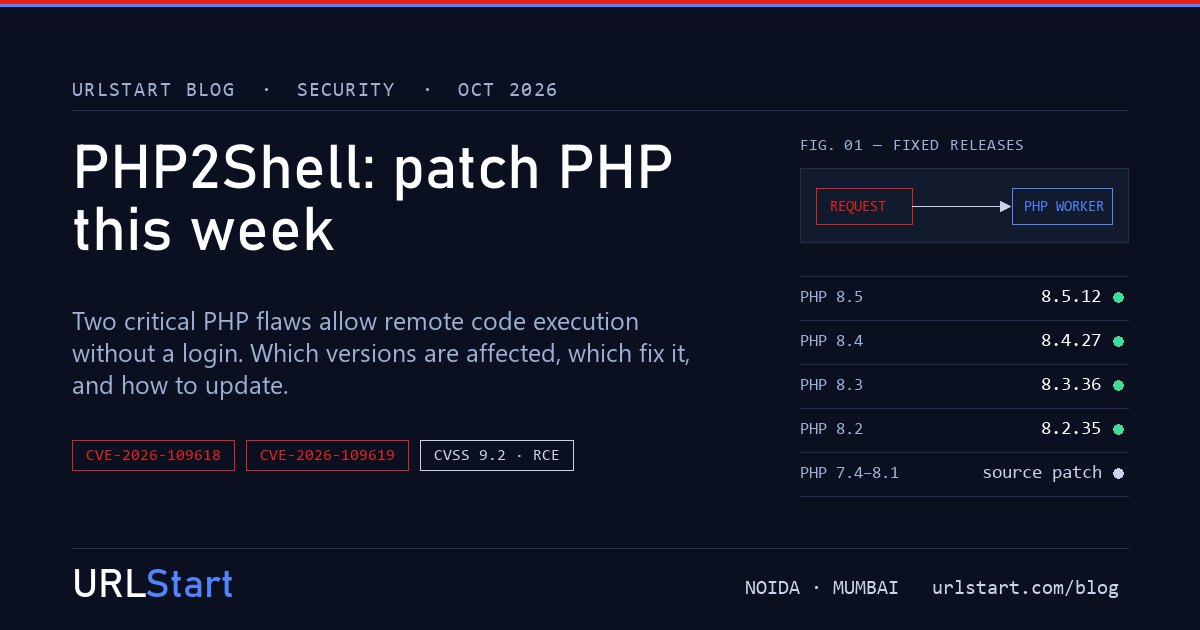
If you run PHP on a server you manage, this is the update to do before anything else this week. On 21 and 22 October the PHP project shipped emergency releases for two bugs in PHP itself, CVE-2026-109618 and CVE-2026-109619, which security researchers have named PHP2Shell. Both are rated 9.2 out of 10, and both let someone on the internet run their own code on your server without a password.
The important part: this is not a WordPress bug, a plugin bug or a Laravel bug. It sits underneath all of them. Updating your CMS does nothing here. You have to update PHP.
What PHP2Shell actually is
There are two separate flaws. You need the update for both, and the same release fixes both.
CVE-2026-109618 is memory corruption that happens when PHP runs out of memory part-way through a request. PHP stops, but the clean-up code then works with data that is no longer valid. An attacker can send a specially built upload request that pushes PHP into that state, even when the request looks small enough to pass your size limits.
CVE-2026-109619 is a use-after-free. Something left over from one request is still in memory when the same PHP worker picks up the next one, and that next request can be made to use it. One of the confirmed routes goes through session upload progress, a feature that is switched on by default.
Either way, the attacker's code runs as your PHP worker. On most servers that means it can read your site's files, your configuration and your database password.
Is my PHP version vulnerable?
Almost certainly, unless you have already updated this week. The vulnerable code goes back to PHP 5.4 and is present in every branch since.
It matters how PHP is run. Anything that serves web requests is in scope: PHP-FPM, Apache with mod_php, php-cgi, LiteSpeed and FrankenPHP. The researchers rate mod_php as the worst case, because the attack can work before your application code even starts. Scripts you only run from the command line are not the concern.
Which PHP versions fix it
For the supported branches, update to at least:
- PHP 8.5.12
- PHP 8.4.27
- PHP 8.3.36
- PHP 8.2.35
PHP 7.4, 8.0 and 8.1 are end-of-life and get no official release. The PHP security team published small source patches for people who build PHP themselves, and most Linux distributions with long-term support ship their own patched packages, so check yours. For PHP 5.4 to 7.3 there is no fix. If you are still on one of those, this is the reason to move.
Is it being exploited?
Yes. Amazon's threat intelligence team saw an attack attempt on 17 October, four days before the public announcement, and then more from several different sources once the details were out. Cloudflare and other security firms report the same. Treat any PHP site that faces the internet as already being scanned.
How to update PHP on a VPS or dedicated server
These steps are for servers where you have root access. On shared hosting your provider controls PHP: ask them which version your account runs and when it will be on a fixed release.
1. Find the PHP version your site really uses
php -vThat shows the command-line version, which is not always the one serving your site. Control panels in particular often run several PHP versions side by side. Check in the panel, or put a phpinfo() file in your web root for a minute, read the version, and delete the file straight away.
2. Install the update
On Ubuntu or Debian:
sudo apt update
sudo apt install --only-upgrade 'php*'
On AlmaLinux, Rocky Linux or RHEL:
sudo dnf update 'php*'On cPanel servers, the EasyApache PHP builds update with the normal system update or from WHM. CloudLinux's PHP Selector versions are the alt-php* packages. Plesk has published patched PHP packages for its own builds.
3. Restart PHP
This is the step people skip. Until the running PHP processes are replaced, the old, vulnerable code is still the one answering requests.
sudo systemctl restart php8.3-fpmPut your own version in the service name. With Apache and mod_php, restart Apache instead. With LiteSpeed, do a graceful restart.
4. Check it worked
Run php -v again and reload the page or panel that shows your site's PHP version. You should see one of the fixed versions above, or your distribution's patched package.
If you can't update today
Sometimes a server cannot be touched until a maintenance window. These settings lower the risk until then. They do not remove it.
- Set
session.upload_progress.enabled = 0inphp.inior in the PHP-FPM pool, then restart PHP. Setting it from your code or a.user.inifile comes too late to help. - On PHP 8.5, set
fatal_error_backtraces = 0as well. - Bring
post_max_sizeandupload_max_filesizedown to what your site actually needs. If the site takes no uploads at all, block upload requests before they reach PHP. - If the site is behind Cloudflare, its firewall has rules for the attack patterns known so far, including on the free plan. Cloudflare itself calls this a stopgap.
After you patch, have a look around
If the server was online and unpatched at any point since 17 October, updating stops new attacks but does not undo one that already happened. Spend ten minutes checking:
- PHP files you did not put there, especially inside upload folders
- new cron jobs, new system users or new SSH keys in
authorized_keys - outgoing connections or CPU use you cannot explain
If anything looks wrong, change your database and admin passwords after cleaning up, not before.
Need a hand?
If your server is with us and you would rather not do this alone, open a ticket or ping us on chat or WhatsApp. Our engineers can tell you which PHP version the server runs and walk you through the update and the restart.